Character design
Make a sprite that belongs in your game.
Choose a clear silhouette, a visual style, and the actions that turn a character design into a usable game sprite.
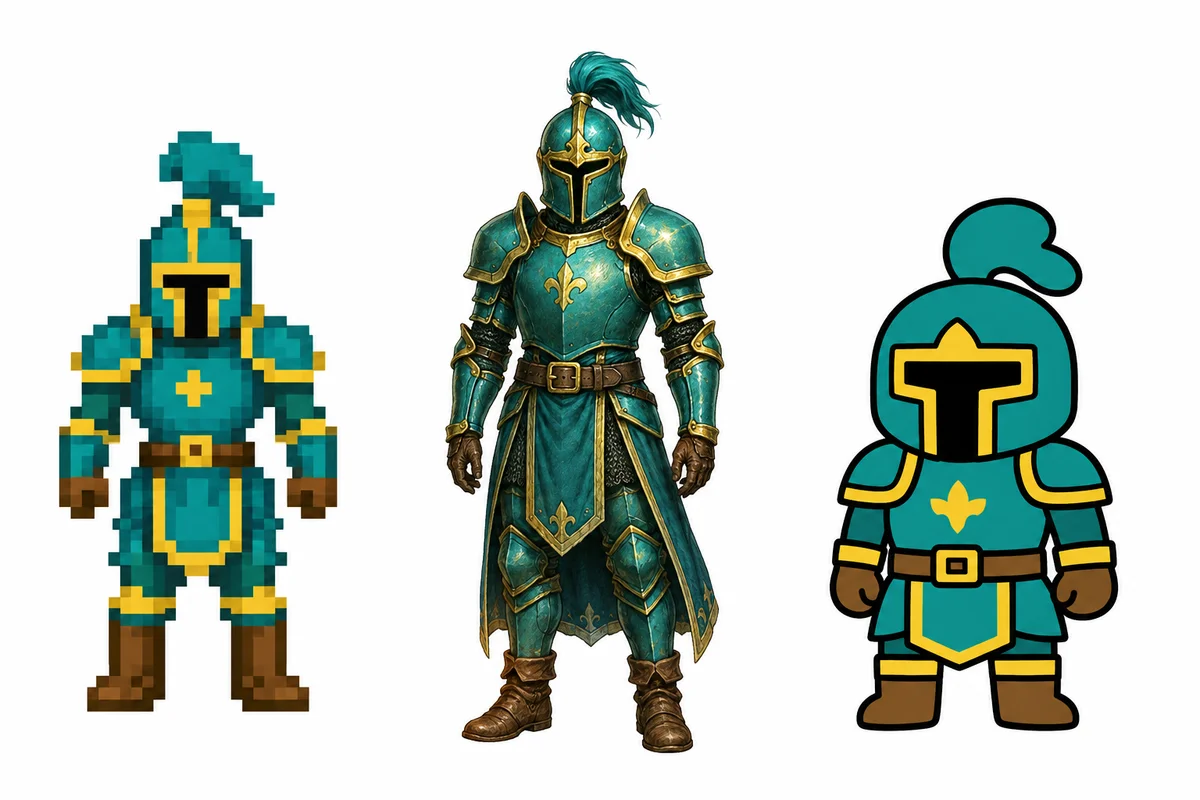
Give your character a readable identity
A strong sprite starts with a few recognizable details. Describe the main silhouette, a small set of colors, and one distinguishing feature. Fine details matter less if the character will only occupy a small area of the screen.
Choose a style deliberately
Pixel art, illustrated 2D, and rendered styles communicate differently. Use the generator’s style controls and a reference image when useful. Check the result against your environment art rather than judging the character in isolation.
Design for movement
Think about which views the player will see. A top-down character may need several directions, while a side-view game may focus on a smaller set of actions. Choose these through the guided animation controls.
Review in context
Preview the animation, then test the exported asset against your game’s background. Check contrast, apparent size, and readability in motion before building more characters in the same style.
Try it with your character.
Start with a brief, then choose your style and animation settings in the app.
Before you start
Can I use the result in my game engine?
Choose an engine package after generation to receive an atlas and the associated metadata or integration files. Review the result in your game before using it in production.
Can I automate this workflow?
The generation and export workflow is also available through the HTTP API and MCP.